



Legacy on-premise systems expose manufacturers to increasing cyber risk. This article explains why cloud ERP and modern security infrastructure are essential for protecting operations and reputation.
Unlock Seamless UI Testing with Kinetic’s Test ReCoder Tool
Published Jan 20, 2025
Automating Kinetic QA Testing
In the fast-paced world of ERP systems, maintaining seamless user experiences and robust application performance is a top priority. To help Epicor Kinetic customers achieve this, the Test ReCoder UI Test Tool has been introduced—a game-changing solution for automating and streamlining User Interface testing.
What is the Test ReCoder UI Test Tool?
Originally designed for internal use by Epicor’s QA teams, the Test ReCoder UI Test Tool is now available to Epicor Kinetic customers. This platform-agnostic browser plug-in transforms how you approach quality assurance by automating repetitive tasks and ensuring higher accuracy in testing processes.
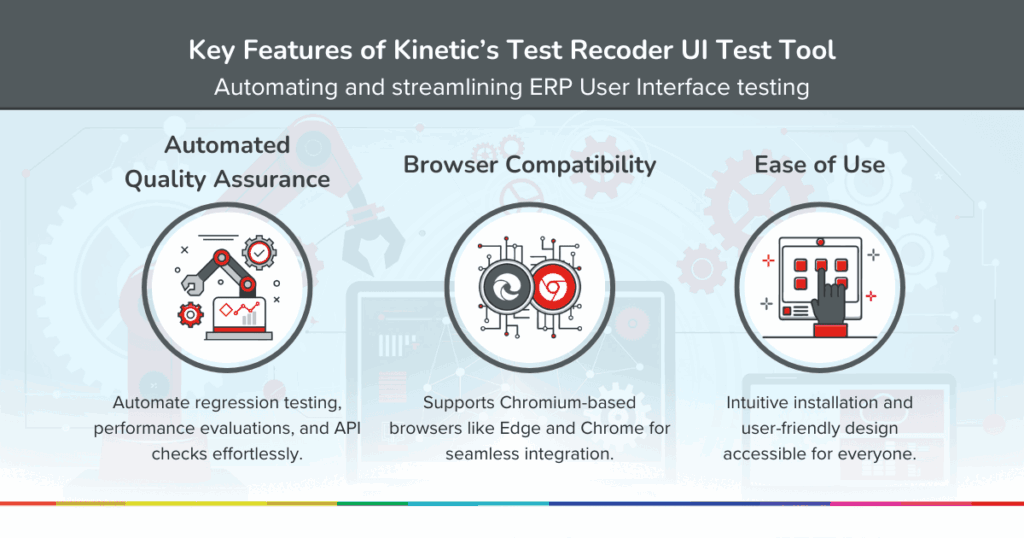
With Test ReCoder, you can streamline quality assurance by “recoding” user journeys, generating automated scripts, running API and performance tests, and efficiently managing regression testing.
Why Activate This Tool?
Efficiency Gains
The tool significantly reduces the time and effort required for testing by automating repetitive tasks. This allows QA teams to shift their focus to solving complex issues and improving application quality.
Increased Test Coverage
Manual testing often misses edge cases or scenarios. Test ReCoder allows you to comprehensively cover a broader range of testing requirements.
Improved Accuracy
By reducing reliance on manual testing, the tool minimises human errors, ensuring consistent and reliable results.
Faster Feedback Cycles
Frequent and automated testing means quicker identification and resolution of potential issues.
Optimised Resource Utilisation
Automation frees up valuable resources, allowing your team to focus on strategic projects that drive business value.
Who Should Use the Test ReCoder UI Test Tool?
The Test ReCoder UI Test Tool is designed for multiple roles within your organisation, each benefiting from its capabilities:
- Quality Assurance (QA) Engineers
Automate regression tests, create and manage test scripts, execute performance testing, and validate APIs to ensure system quality. - Developers
Test code changes early, record and replay user journeys, perform API checks, and monitor application performance after deploying updates. - System Administrators
Run performance and regression tests after updates or configuration changes to ensure system stability and reliability. - Business Analysts
Simulate end-user interactions to validate workflows, ensuring processes meet business needs and deliver a seamless experience. - IT Managers
Monitor test coverage, analyse performance reports, and align the testing process with organisational goals. - ERP Support Teams
Use the tool to replicate user issues, validate fixes, and ensure no unintended side effects from updates or patches.
By equipping these key roles with the Test ReCoder UI Test Tool, Epicor Kinetic customers can streamline testing, improve accuracy, and optimise resource use across teams.
Use Cases for Kinetic Customers
The Test ReCoder UI Test Tool is more than just a testing utility; it’s a versatile solution designed to address the challenges Epicor Kinetic customers face during quality assurance. Whether you’re streamlining day-to-day operations, introducing new features, or ensuring system stability after updates, this tool provides targeted solutions to simplify and enhance your testing efforts.
Below are some of the key scenarios where the Test ReCoder can make a significant impact:
- Regression Testing
Keep your system’s functionalities intact after updates or new feature deployments without manual testing. - Performance Optimisation
Simulate different conditions to identify and resolve performance bottlenecks. - API Validation
Automate testing for API endpoints to ensure they are functioning efficiently. - User Journey Simulations
Record and replicate real user interactions to validate seamless customer experiences.
How to Activate the Test ReCoder UI Test Tool
Step 1: Log in to Epicor Kinetic
Access your Epicor Kinetic environment using your credentials.
Step 2: Navigate to the Test ReCoder Page
Go to the Tools section and find the Test ReCoder UI Test Tool under the Quality Assurance Tools menu.
Step 3: Install the Browser Extension
Follow the prompts to download and install the Test ReCoder browser plug-in for Chromium-based browsers like Microsoft Edge or Google Chrome.
Step 4: Launch the Tool
Once installed, open the plug-in from your browser’s extensions menu. Log in using your Epicor Kinetic credentials to start.
Step 5: Explore and Configure
Set up your testing environment by selecting the types of tests you want to run (e.g., regression, API, or performance tests). Use the intuitive interface to record user journeys or configure specific test scenarios.
Step 6: Begin Testing
Start automating your quality assurance tasks, monitor performance metrics, and optimise your system’s functionality.
Metrics That Matter
The benefits of the Test ReCoder UI Test Tool are reflected in measurable results:
- Reduced Test Execution Time
Automation slashes testing times compared to manual processes. - Lower Error Rates
Consistent execution ensures more reliable outcomes. - Enhanced Productivity
Teams can reallocate resources to strategic tasks, driving overall efficiency.
Activate Today and Stay Ahead
The Test ReCoder UI Test Tool is included as a core enhancement in the latest Kinetic release (2024.2) and represents a leap forward in quality assurance testing efficiency and accuracy for Kinetic customers. By activating this tool, you unlock a streamlined testing process that enhances system reliability, improves performance, and empowers your team to deliver superior results.
You can explore more innovative features, capabilities, and core enhancements introduced in this Epicor Kinetic release here.
Harness the power of the Test ReCoder UI Test Tool today and set your QA processes on a smarter, faster track!
Inspired to Act?
Book a Discovery Call with one of our product specialists to learn more about how Epicor Kinetic integrated with APM can transform your manufacturing business.
Subscribe to our LinkedIn Newsletter and get alerts when we post about topics that matter to you.
Related Articles
Your ERP Knows What Happened. But Can It Tell You What’s Coming?
Traditional ERP systems track what happened. Modern architectures enable predictive, AI-driven decisions. This article explores how manufacturers can prepare for ongoing supply chain disruption.
Expertise + AI – The New Competitive Moat for Mid-Market Manufacturers
AI becomes a true competitive advantage when embedded within manufacturing expertise. This article explores how ERP foundations and captured knowledge create scalable operational intelligence.
Why Most ERP Implementations Miss the Point
Most ERP implementations focus on technology rather than operational expertise. This article explains how systemising knowledge creates scalable assets that drive sustainable growth.
“It Almost Broke Us” or The Hidden Cost of Winning Big Contracts
Winning major contracts in regulated industries can expose hidden operational risks. This article explains how ERP readiness, compliance and scalable processes enable sustainable contract delivery.
The Rise of Cognitive ERP – Why AI’s Value is Only as Good as Your Processes
A friend recently...